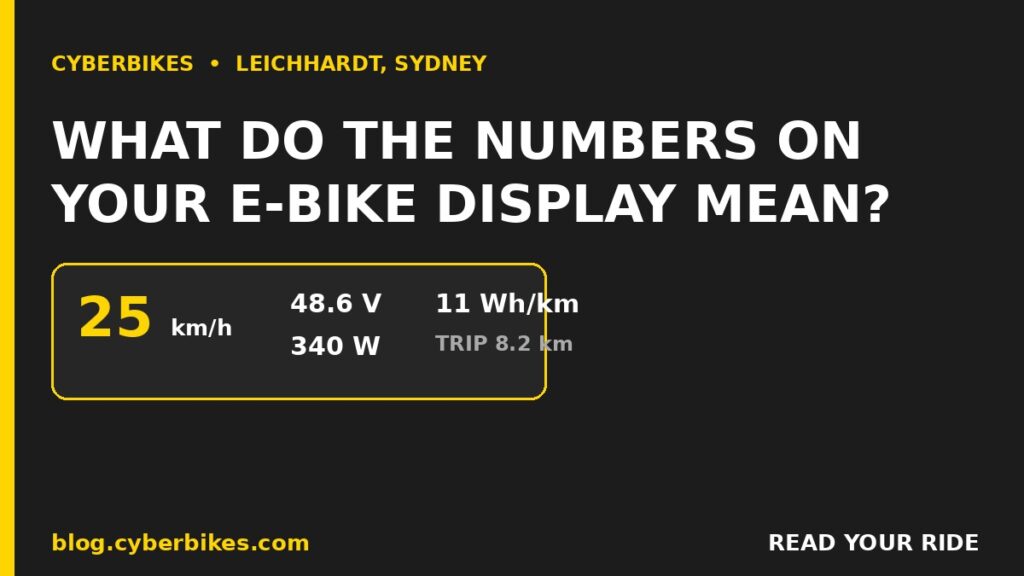
Your e-bike display is really tracking five core numbers: your speed in km/h, the battery voltage (volts), the current being drawn (amps), the power the motor is using right now (watts), and your energy use per kilometre (Wh/km). In plain terms: volts tell you how full the battery really is, watts (volts multiplied by amps) show how hard the motor is working this second, and Wh/km is the one number that actually predicts how far you will get on a charge.
Most riders glance at speed and a battery bar and ignore the rest. But once you understand the other readouts you can spot a fading battery, ride more efficiently, and calculate your true range instead of guessing. At Cyberbikes in Leichhardt this is one of the most common questions we get on the shop floor, so here is the plain-English breakdown, grounded in real e-bike engineering.
The five e-bike display numbers that matter
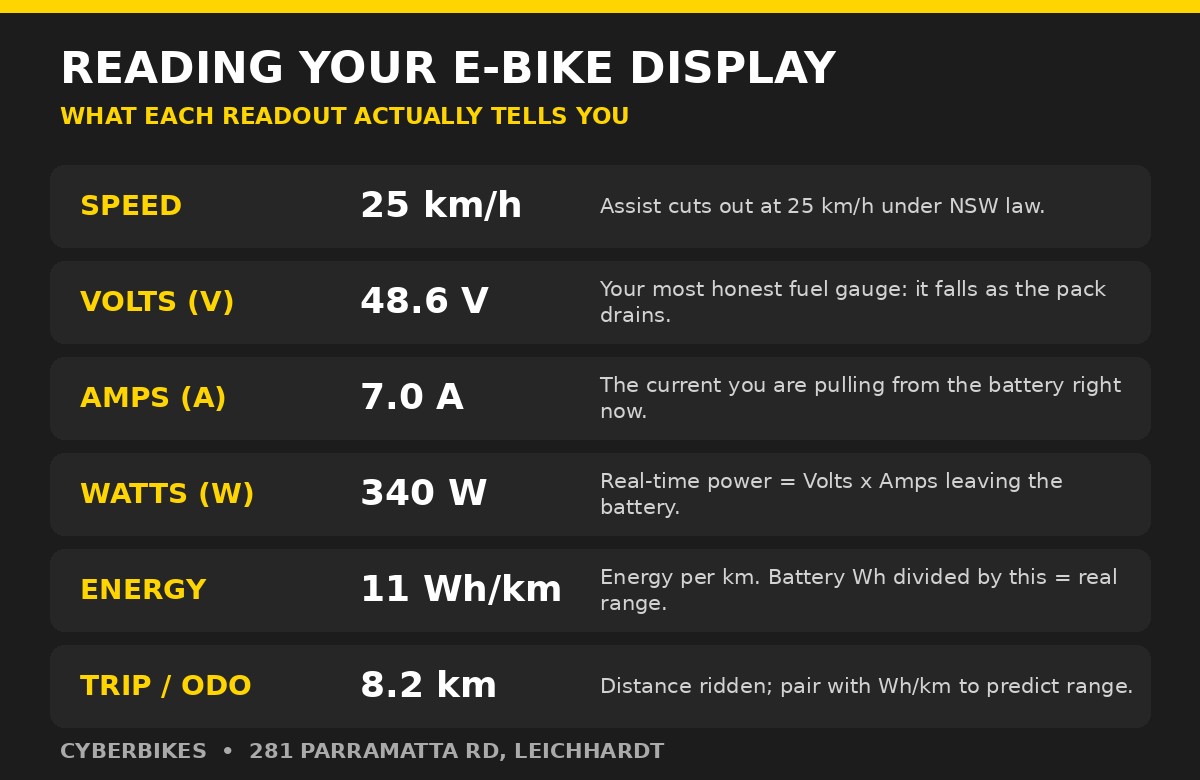
Whether you ride a basic LCD or a full Cycle Analyst-style computer, almost every e-bike display shows some combination of these readings. Here is what each one means at a glance.
| Reading | What it means | Why it matters |
|---|---|---|
| Speed (km/h) | How fast you are travelling | Pedal assist cuts out at 25 km/h under NSW law |
| Volts (V) | Battery voltage, your real fuel gauge | Falls steadily as the pack drains |
| Amps (A) | Current drawn from the battery now | Rises when you climb or accelerate |
| Watts (W) | Power in use, equal to volts x amps | Shows effort; sustained high watts means heat |
| Wh/km | Energy used per kilometre | Battery Wh divided by this equals your range |
| Trip / Odo | Distance for this ride and lifetime | Pairs with Wh/km to predict how far you can go |
Volts: the most honest fuel gauge on your e-bike
The percentage battery bar on your display is only an estimate. The raw voltage reading is the real state of charge. A healthy 48V e-bike pack reads about 54V when fully charged and sags toward the low 40s as it empties, then the system shuts down to protect the cells. Learning your battery's full and empty voltage tells you far more than a five-bar icon ever will. Our definitive guide to e-bike batteries covers this in more depth.
Why does my battery percentage jump around? Because voltage sags under load. When you push hard up a Leichhardt hill the voltage dips and the percentage drops, then it recovers when you ease off and the bar climbs back. That is normal battery behaviour, not a fault. For an accurate reading, glance at voltage while coasting rather than while hammering the pedals.
Amps and watts: how hard your motor is working
This is where the physics gets useful. Watts = volts x amps. Voltage stays roughly fixed by your battery, so the watts on your screen rise and fall with the amps the controller is pulling. Cruising on the flat you might see 150 to 300 watts; grinding up a steep climb the amps and watts spike much higher.
One important detail from the engineers at ebikes.ca: the wattage on your display is battery input power (volts x amps), not the mechanical power actually reaching the wheel. Real motor output is always lower because of efficiency losses, and the harder you load a motor at low speed, the more of that power turns into heat rather than motion (double the current and you roughly quadruple the heating). That is why a big peak-wattage number is not the whole story.
Is a higher wattage number always better? Not really. A higher peak mostly means quicker acceleration off the line, not more usable cruising power, and sustained high watts is exactly what makes a motor overheat. If you want the full picture of how motors, controllers and sensors turn those amps into motion, our guide on how e-bikes actually work connects all the pieces.
Wh/km: the number that predicts your real range
If you only learn one new reading, make it Wh/km (watt-hours per kilometre). It is your live fuel economy. First, know your battery's size in watt-hours: Wh = volts x amp-hours. A Cyberbikes Centauro runs a 48V 25Ah Samsung pack, so 48 x 25 = 1200Wh.
Now the range maths is simple: battery Wh divided by your Wh/km. On an efficient flat commute at around 11 Wh/km, that 1200Wh Centauro battery is good for roughly 109 km. Load it up, ride into a headwind, sit on maximum assist and climb hills at 20 Wh/km, and the same battery gives about 60 km. Same bike, same battery, very different range, and your display tells you which one you are getting.
What is a good Wh/km? For everyday pedal-assist commuting on Sydney roads, many riders sit somewhere around 8 to 15 Wh/km. Cold weather, big loads, low tyre pressure, constant stop-start and high assist levels all push the number up. Watch it for a week and you will quickly learn your own typical figure.
Speed and assist level: staying legal and efficient in NSW
Your speed readout is not just for interest. In NSW a road-legal e-bike is limited to 250W continuous with pedal assist that cuts out at 25 km/h, so once your display shows 25 the motor stops adding power and the rest is your legs. Your assist level (often 1 to 5, or eco/tour/turbo) simply scales how much of that power the controller hands over when you pedal.
How your bike decides to apply that assist depends on its sensor. A cadence sensor adds a set amount of power whenever the pedals turn, while a torque sensor measures how hard you push and multiplies your effort. Both read out on the display the same way, but they feel very different to ride, as we explain in torque sensor vs cadence sensor.
Frequently asked questions
What does Wh/km mean on an e-bike display?
Wh/km is watt-hours of battery energy used per kilometre, and it is the single best predictor of your range. Divide your battery’s capacity in watt-hours by this figure to estimate distance. A Cyberbikes Centauro carries a 48V 25Ah (1200Wh) battery, so riding at 12 Wh/km gives roughly 100 km, while a hilly 20 Wh/km ride drops that to about 60 km.
Why does my e-bike battery voltage drop then recover?
Voltage sags under load because current is being pulled hard, then bounces back when you ease off. That is normal. It also explains why a percentage battery bar jumps around, because most displays estimate charge from a voltage reading that moves with load. Voltage measured while coasting is the most honest state-of-charge indicator.
Does the wattage on my display show motor power or battery power?
Almost every e-bike display shows battery input power, which is volts multiplied by amps (V x A), not the mechanical power actually reaching the wheel. According to Grin Technologies at ebikes.ca, a motor’s true output is always lower than the input because of efficiency losses, so treat the watts on your screen as how hard the battery is working, not the motor’s output at the road.
See it on the screen for yourself
The best way to understand your display is to ride with it. Come in for a test ride at Cyberbikes, 281 Parramatta Road, Leichhardt, and we will walk you through exactly what every number on the screen means on the Cyberbikes Centauro and the rest of our range. Prefer to browse first? Head to cyberbikes.com or ask about our rent-to-own plans from $99.99/week.
#Cyberbikes #eBikeSydney #electricbikeLeichhardt #CentauroEbike #eBikeTech #rideelectric